
Part of 100+ video lessons
Short, step-by-step lessons you can rewatch anytime.
Hands-on project
Follow along in the host project and build as you learn.
Certificate path
Counts toward your Framer Fundamentals certificate.


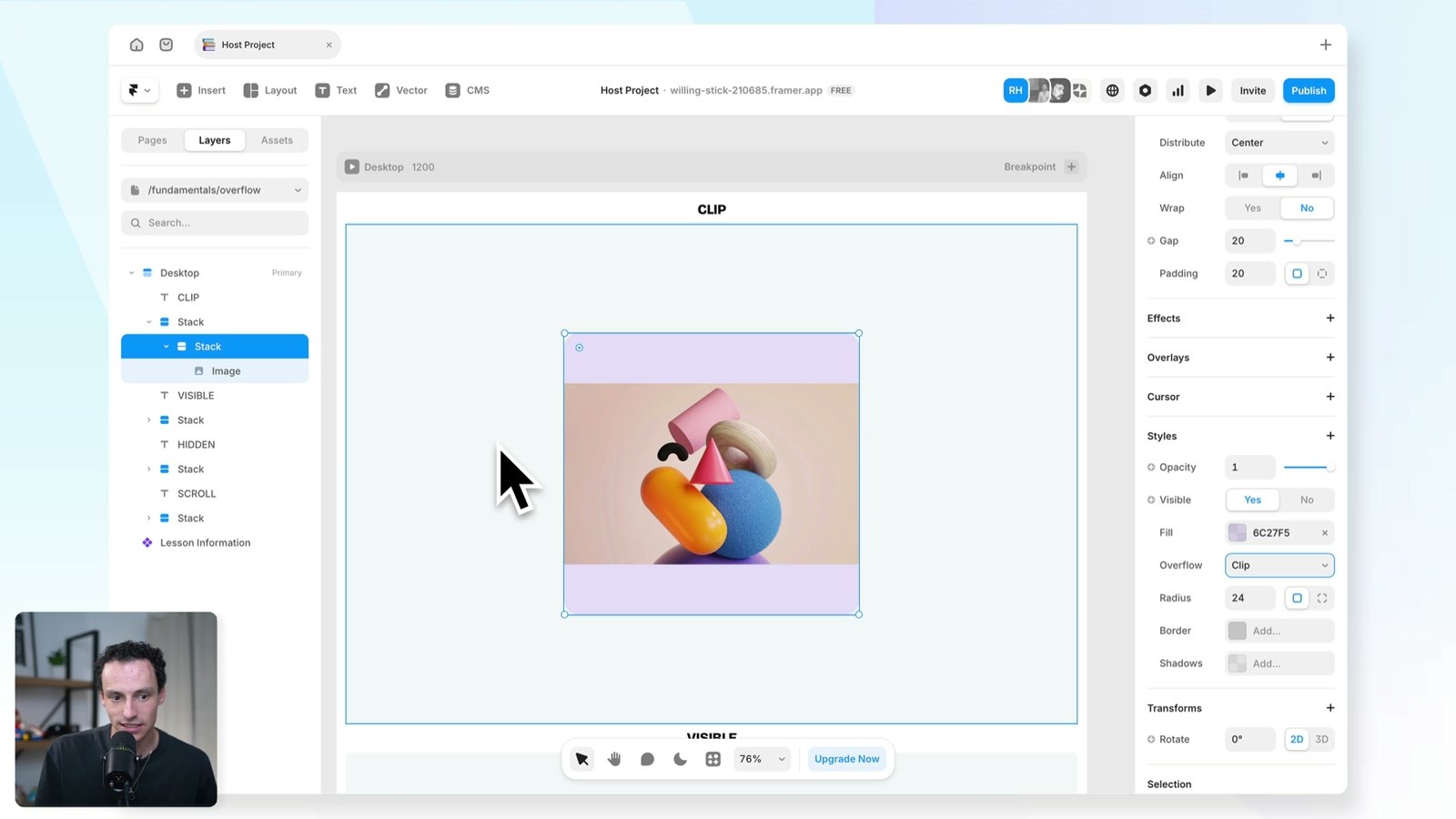
Resize an image inside a stack and switch between each overflow type to see what changes.
Overflow is set on the frame that holds the content, under Styles in the properties panel.
Clip, visible, hidden or scroll, depending on how the content should behave.
Add overflow X or Y from the Styles panel to scroll in one direction only.
Know all four overflow types
Explain what clip, visible, hidden and scroll do to content that doesn't fit.

Keep sticky positioning working
Understand why hidden breaks sticky elements and when to use clip instead.

Build scrollable containers
Use scroll overflow to create horizontal image rows and other scroll areas.

Layout in Framer
Framer's layout system works like auto layout in Figma or Flexbox in Webflow. Learn how stacks and grids bring alignment and order to your elements.

Scale Tool in Framer
There are two ways to scale elements in Framer, and they behave differently. One applies a visual scale, the other changes the real sizes.

CURRICULUM
WHAT YOU’LL LEARN IN THIS COURSE
In the Ultimate Framer Masterclass, you’ll master Framer from the ground up. Follow real projects, get expert feedback, and finally design and ship the way you’ve always wanted to.
Build a row of images that is wider than its frame. Try each overflow type, then set it to scroll horizontally only.
05:14
PUBLISH CHECKLIST
Clip tested
Visible tested
Hidden tested
Scroll tested
Sticky still works
Checked on mobile
TRY IT OUT
Cesar Rodrigues
Founder, Craate Creative
FREQUENTLY ASKED QUESTIONS
Everything you need to know about this lesson.
What are the overflow options in Framer?
Clip, visible, hidden and scroll. Clip is the default on new frames and covers most cases; reach for the others only when you need their specific behaviour.
Why does sticky positioning stop working in Framer?
Overflow set to hidden breaks sticky elements. Use clip instead, which is the default and keeps sticky positioning working.
How do I make a container scroll in Framer?
Set the parent frame's overflow to scroll under Styles. Add overflow X or Y to scroll in one direction only, which is how horizontal image rows are built.
CERTIFICATION
BECOME A CERTIFIED FRAMER MASTER
Earn 3 official certifications that show you don’t just know Framer, but you can
design, build, and execute real pixel-perfect sites.









Rated excellent by 900+ students
4.8
Lifetime access
14-day money-back guarantee
Stream anywhere




